 w
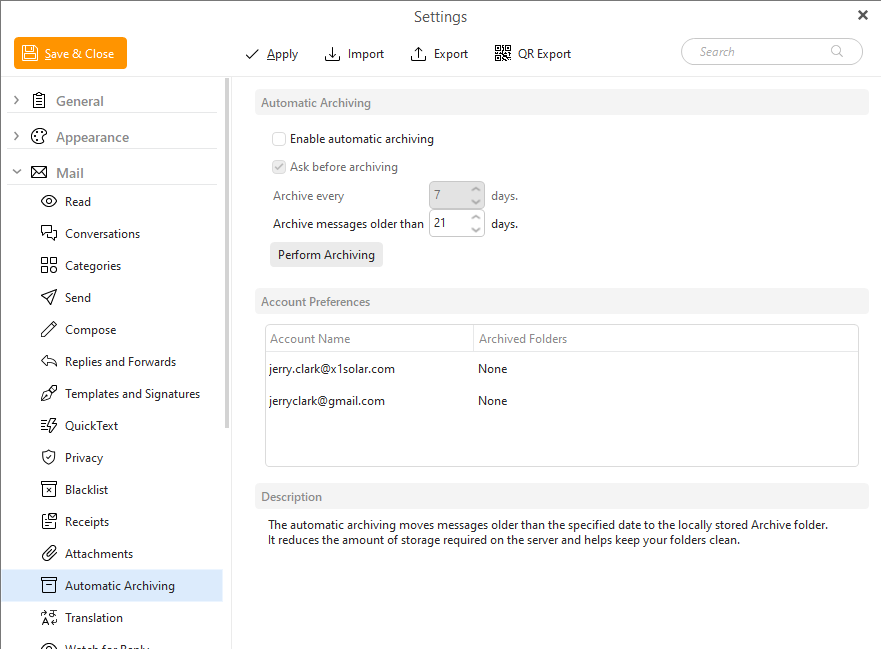
wIn this section you can enable /disable automatic archiving of the messages.
Automatic archiving moves message older than selected threshold to archive folder stored locally. This reduces amount of storage required on the server and at the same time helps you to keep your folders clean.
w
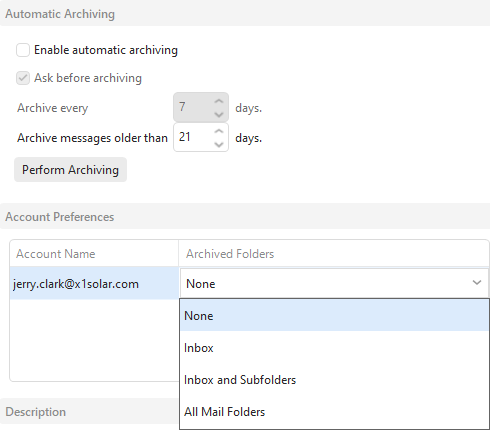
Enable automatic archiving - check this option if you want to enable automatic archiving.
Ask before archiving - check this option if you want to be asked first before the archiving process will be launched.
Archive every - here you can specify the time span in which you would like your messages to be archived.
Archive messages older than - here you can set up the age of the messages which you wish to be archived.
Click on Perform Archiving to start the process manually.
For Archiving to be performed you also need to set the Archiving scope for each of your accounts under Account preferences.